.webp)

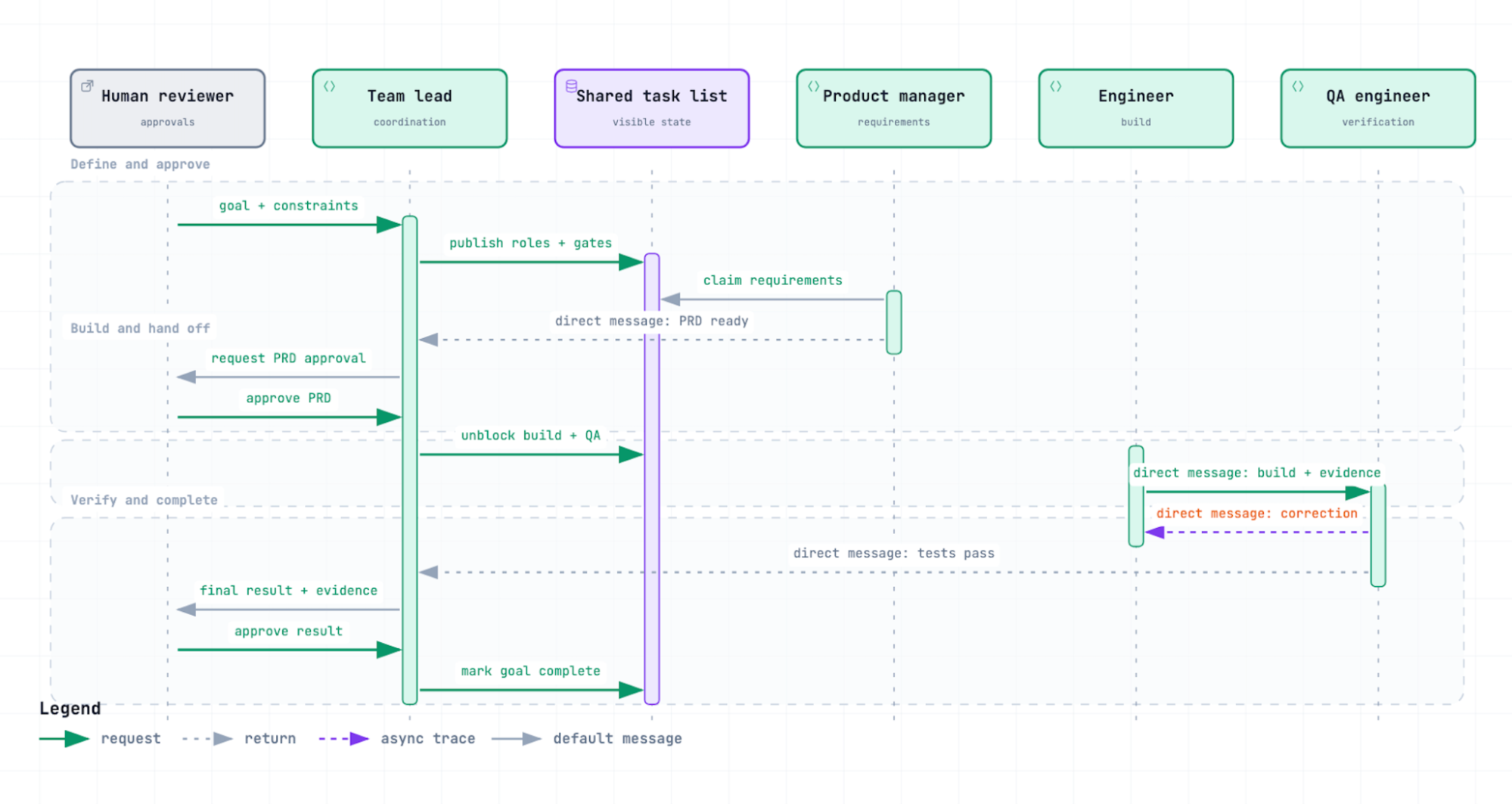
What an AI agent does
An AI agent is software that pursues a goal with limited independent control. This article uses the short term agent.
An agent observes, plans, acts with tools, and verifies the result. It changes its plan when a check fails. IBM identifies planning, tool use, and correction as core capabilities.
Why one agent can be insufficient
Large changes can overload one context window. A context window is the information that a model can use during one response sequence.
Separate roles can manage requirements, engineering, and quality assurance (QA).
More agents also create more coordination work. Addy Osmani uses orchestration tax for the added work of delegation, coordination, and review.
Each extra agent creates messages, decisions, and outputs that a person must examine.
Select the correct pattern
A primary agent is the session that delegates work. A subagent is a focused worker that receives one delegated task.
Agent Teams is a Claude Code feature that starts coordinated agent sessions. The first session is the team lead. The other sessions are teammates.
Agent View is a Claude Code interface for independent background sessions. Each session has its own goal and context window.
Anthropic documents the three patterns as different forms of parallel work.
Use the smallest pattern that meets the coordination need. Do not add a team when one focused subagent is sufficient.
A gated Agent Team workflow
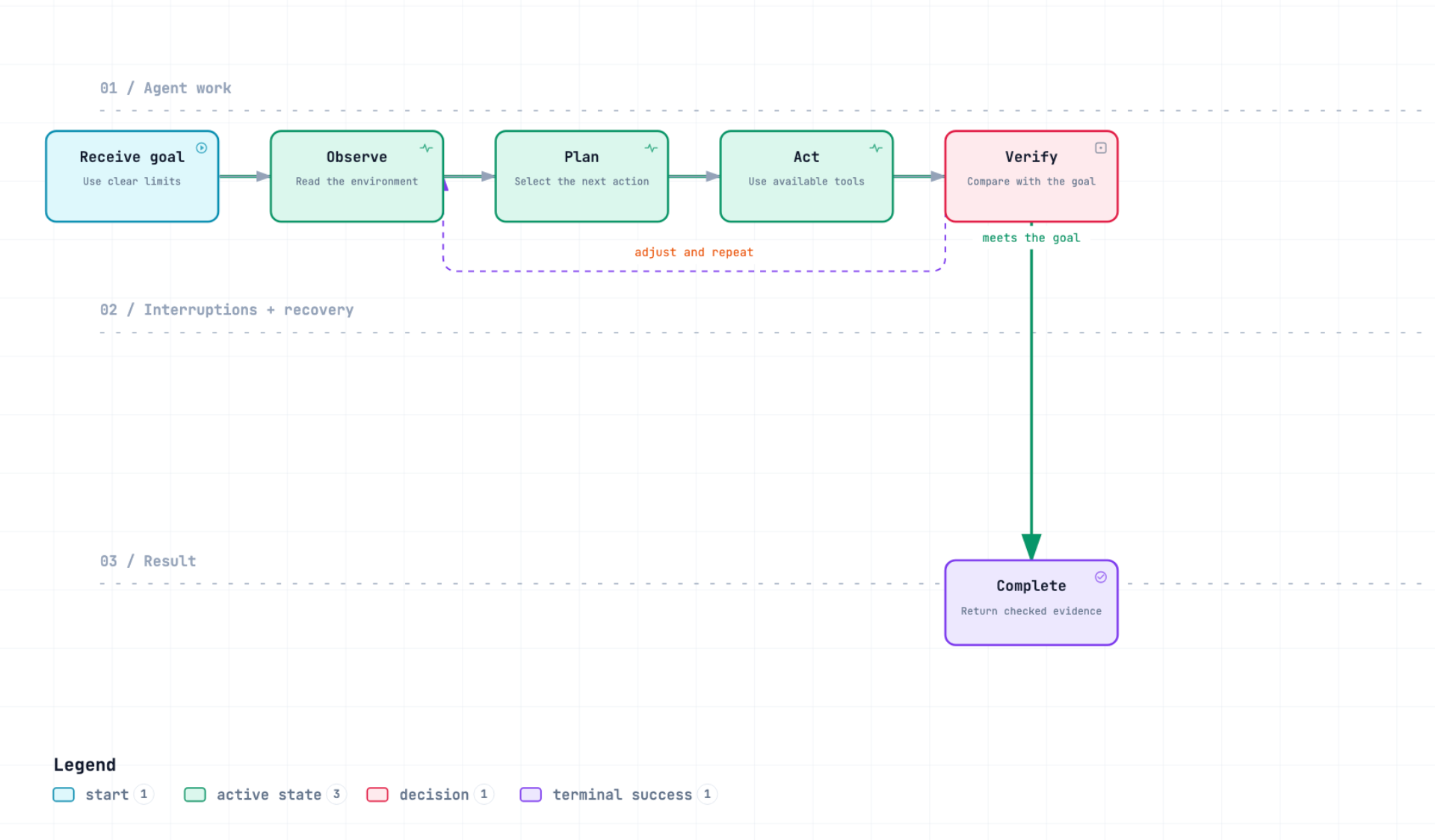
This workflow uses a team lead, product manager, software engineer, and QA engineer.
The team lead controls a shared task list and approval gates. A shared task list records work that all team members can see.
A Product Requirements Document (PRD) defines the required product behavior. An acceptance criterion is a testable condition that the result must meet.
An approval gate blocks later work until a person approves the current result.
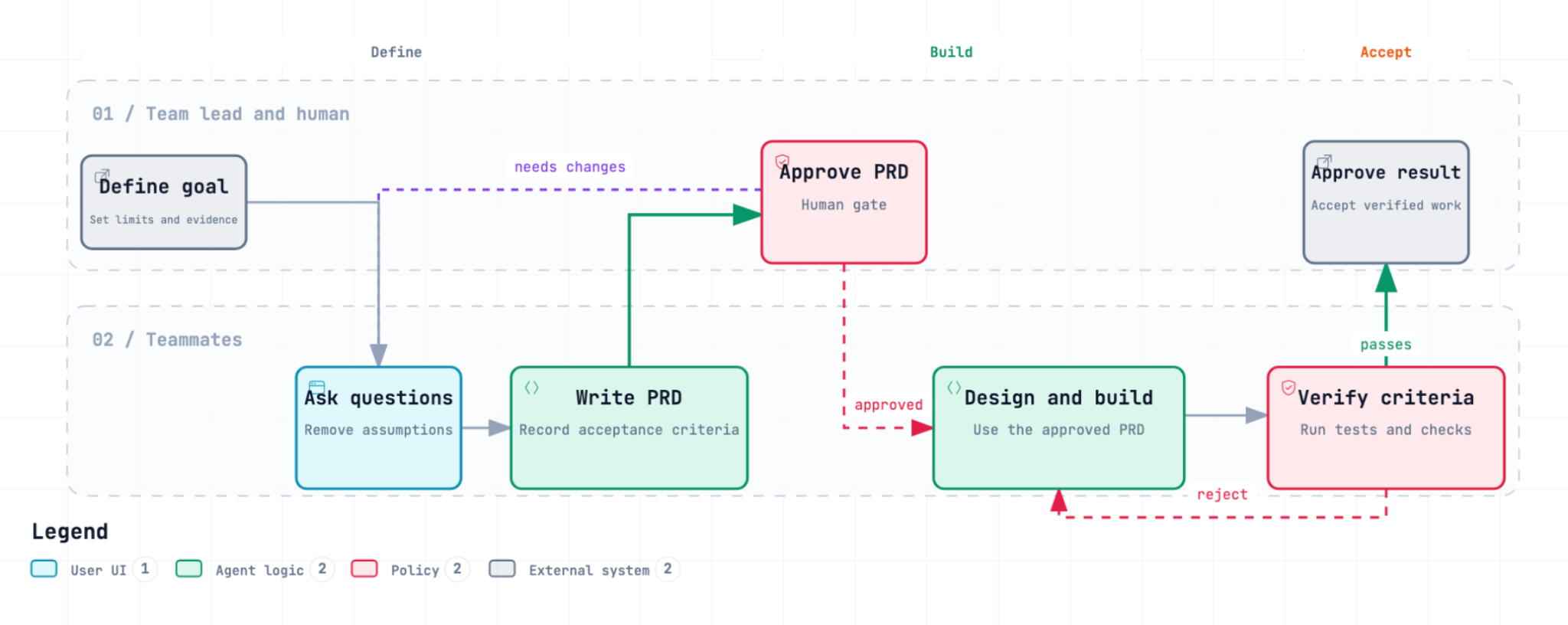
The workflow used these steps:
- Ask the product manager to clarify the goal and write the PRD.
- Approve the PRD before design or code work starts.
- Ask the engineer to design and build the approved change.
- Ask the QA engineer to test every acceptance criterion.
- Approve the result after the tests and human review pass.
How messages move
A direct message goes between two agent sessions. The shared task list records visible work, ownership, and gate status.
Direct messages carry handoffs, correction requests, and test results.
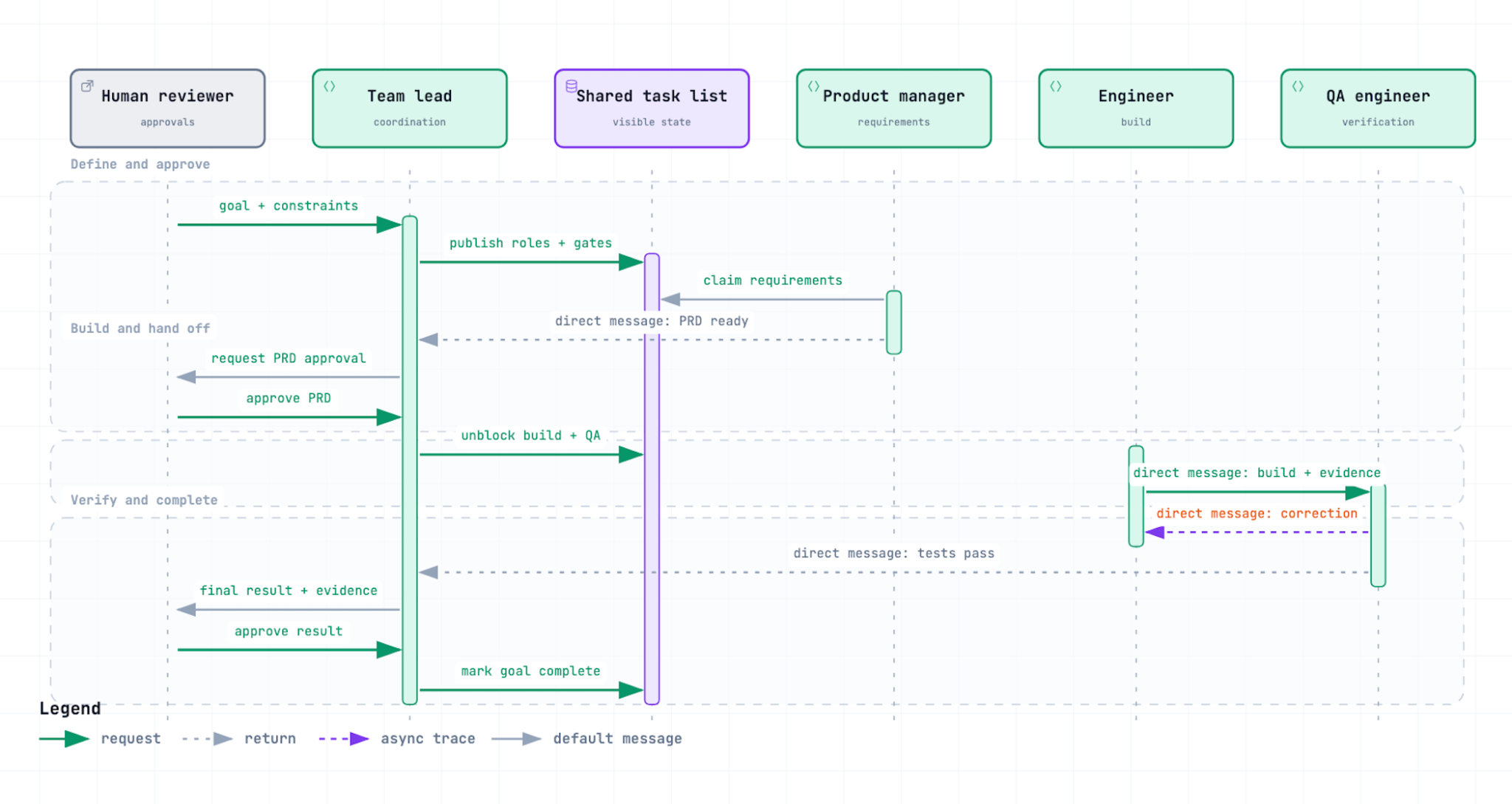
Agents can work in parallel, but approval gates remain sequential. The gates prevent unapproved design and unverified results.
Enable Agent Teams
Agent Teams is experimental and disabled by default. Enable it only in a controlled project.
Add this feature flag to your Claude Code settings:
Start Claude Code. Then describe the team and the approval rules in a normal text request.
Start an agent team for this feature.
Start these teammates:
- product-manager
- full-stack-engineer
- qa-engineer
Apply these rules:
- The product manager asks questions and writes the PRD.
- The engineer starts work only after PRD approval.
- The QA engineer tests every acceptance criterion.
- The team lead enforces each approval gate.
Current releases do not require explicit team creation or deletion tools. An enabled session already supports a team. Start named teammates directly.
Claude Code uses auto as the default display mode. It uses split panes inside tmux and in-process display otherwise.
Native iTerm2 panes require the it2 command-line interface and the iTerm2 Python API. Then set teammateMode to iterm2.
Control the review load
Shared task lists and direct messages do not remove the need for clear ownership and review.
Use these controls:
- Write one explicit outcome and its constraints.
- Assign one owner to each task.
- Define each approval gate before work starts.
- Test every acceptance criterion.
- Examine the final output and important logs.
Anthropic suggests three to five teammates for many workflows. Start with three when the roles are clear.
Tests support review, but tests do not replace human judgment. They cannot confirm every product or security decision.
Do not start more agents than you can examine.
Use Agent View for separate work
Agent View opens independent background sessions. Use it when tasks do not need the same task list or messages.
The distinction is simple:
- Use a subagent to get one focused result.
- Use Agent Teams to coordinate one shared goal.
- Use Agent View to control several separate goals.
Select the model for the role
Select the smallest model that can complete each role. Measure quality, response time, and cost before you expand the team.